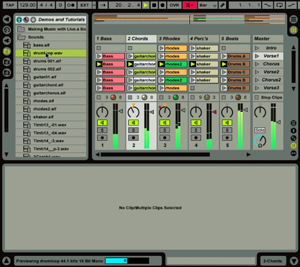
 So for starters, I was pretty excited about Ableton from the get go. The first comment I have for any new user is to read the tutorials that come with the software. If you're anything like me, you just want to jump in and start clicking, dragging, and basically spazzing out with it. I highly recommend the tutorials as they are very easy to follow, the knowledge you learn from one tutorial can carry over into the next, and they are relatively short to do. Although, I am going through them a second time just to make sure I didn't miss anything, hone my skills, and help me tie everything in together. It is also helping me get used to the interface too.
I have found that Ableton simply treats audio different than other programs I've played with...in the tutorials, it reads something like "Ableton treats audio like 'elastic'" which is actually a good description...keep that in mind.
A couple of notes for you other noobs: there are two main views you will be switching back and forth from. The arrangement view, and the session view. How I have used these together so far on my own is like this: I wired Reason into an audio track (by clicking the drop-down list that read "ext in" and changing it to "Reason." After which, I opened up Reason and loaded my track. I then 'armed' the audio track. After that I hit the global record button, and hit play...this launched my reason track and began recording it. I could see a wav drawing of my newly recorded track follow the playhead, which was exciting. I hit stop, and proceeded to cut sections of the recorded track apart, and pasted them into new audio tracks as clips in the session view. I should mention that at this point I was looking for a button or a right click menu so that I could save my clip...but i couldn't. (I'm convinced it can be done somehow...I'll keep you posted.)
So, switching to the session view (and removing all the clips from the arrange view, since I already pasted them into the session view), I was able to apply all kinds of effects, and take control of their playback to some degree...which I am still learning.
Tonight I would like to 'pencil in' some drum beats and properly automate the playback of the clips I set up in the session view. I think I've blabbed enough today.
Have a good one.

No comments:
Post a Comment